
Updating to SweetDate 3.4
Updating to SweetDate 3.4This articles describes the changes that took place in 3.4 update. This version changes makes sure to stay up to date with latest Envato theme requirements.
Key changes in version 3.4:
Section titled “Key changes in version 3.4:”-
Renamed SweetDate theme translation text domain from ‘kleo_framework’ to ‘sweetdate’
-
Moved plugin territory code to SweetDate core plugin
Renamed theme translation text domain from ‘kleo_framework’ to ‘sweetdate’
Section titled “Renamed theme translation text domain from ‘kleo_framework’ to ‘sweetdate’”In order to comply with latest theme requirements we needed to change our theme translation text domain to match the theme slug and that is why we renamed it into ‘sweetdate’.
How will this impact your site?
Section titled “How will this impact your site?”Any previous string translation should work as it did before the update.
If you have template overrides in your child theme it is recommended to compare the files with parent theme and make the necessary updates.
Migration tool
Section titled “Migration tool”-
We already did a migration tool that will search under wp-content/languages/themes folder for SweetDate translation files and will rename them to match the new domain name.
-
WPML String translation plugin. This tool mentioned above will also search in WPML strings in the database and change the domain accordingly.
You will see a notice like the one below when you update to SweetDate 3.9 to initialise the migration tool.
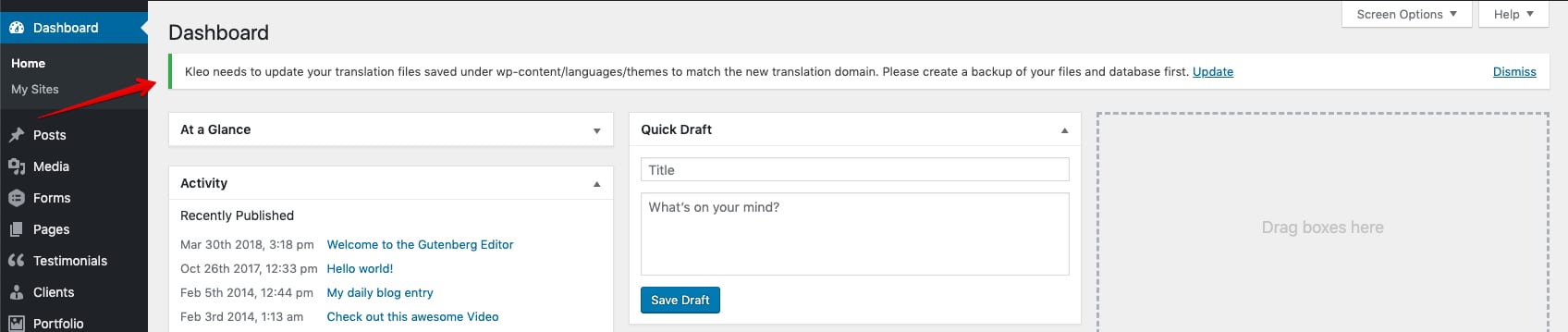
When completed the translation should work normally.
If you encounter any problems related to any multilingual plugin or translation in general please let us know by opening a ticket.
Moved plugin territory code to SweetDate Core plugin
Section titled “Moved plugin territory code to SweetDate Core plugin”To stay up to date with the latest trends and with Envato Theme requirements we needed to move some code to SweetDate Core plugin. Themes shouldn’t load code that add functionality since once that theme is deactivated also the functionality is lost.
How will this impact your site?
Section titled “How will this impact your site?”Just make sure you install and activate SweetDate Core, no other action is required.
Info: Installing and activating SweetDate Core plugin is done from Appearance - Install Plugins.