
SweetDate requirements
SweetDate requirementsSweetDate runs on any hosting that runs a current WordPress. Community sites (BuddyPress, bbPress, memberships) do more work per page than a blog, so choose a plan with enough memory and avoid the smallest shared plans.
Software
Section titled “Software”| Software | Minimum | Recommended |
|---|---|---|
| WordPress | 6.5 | Latest version |
| PHP | 7.4 | 8.2 or 8.3 |
| Database | MySQL 5.7 or MariaDB 10.4 | MySQL 8.0 or MariaDB 10.6 and newer |
| HTTPS | Required for logins and payments | A free Let’s Encrypt certificate is enough |
PHP settings
Section titled “PHP settings”| Setting | Recommended value | Why |
|---|---|---|
memory_limit |
256M | Demo imports, BuddyPress and page builders |
max_execution_time |
180 or more | Demo imports and plugin updates |
upload_max_filesize |
64M | Uploading the theme and plugin zips |
post_max_size |
64M | Same as above |
max_input_vars |
3000 | Saving large menus and theme options |
PHP extensions: the ones WordPress needs (curl, gd or imagick, mbstring, xml, zip, openssl). Your server must also be able to make outgoing HTTPS requests, for registration, demo imports and updates.
Check your server
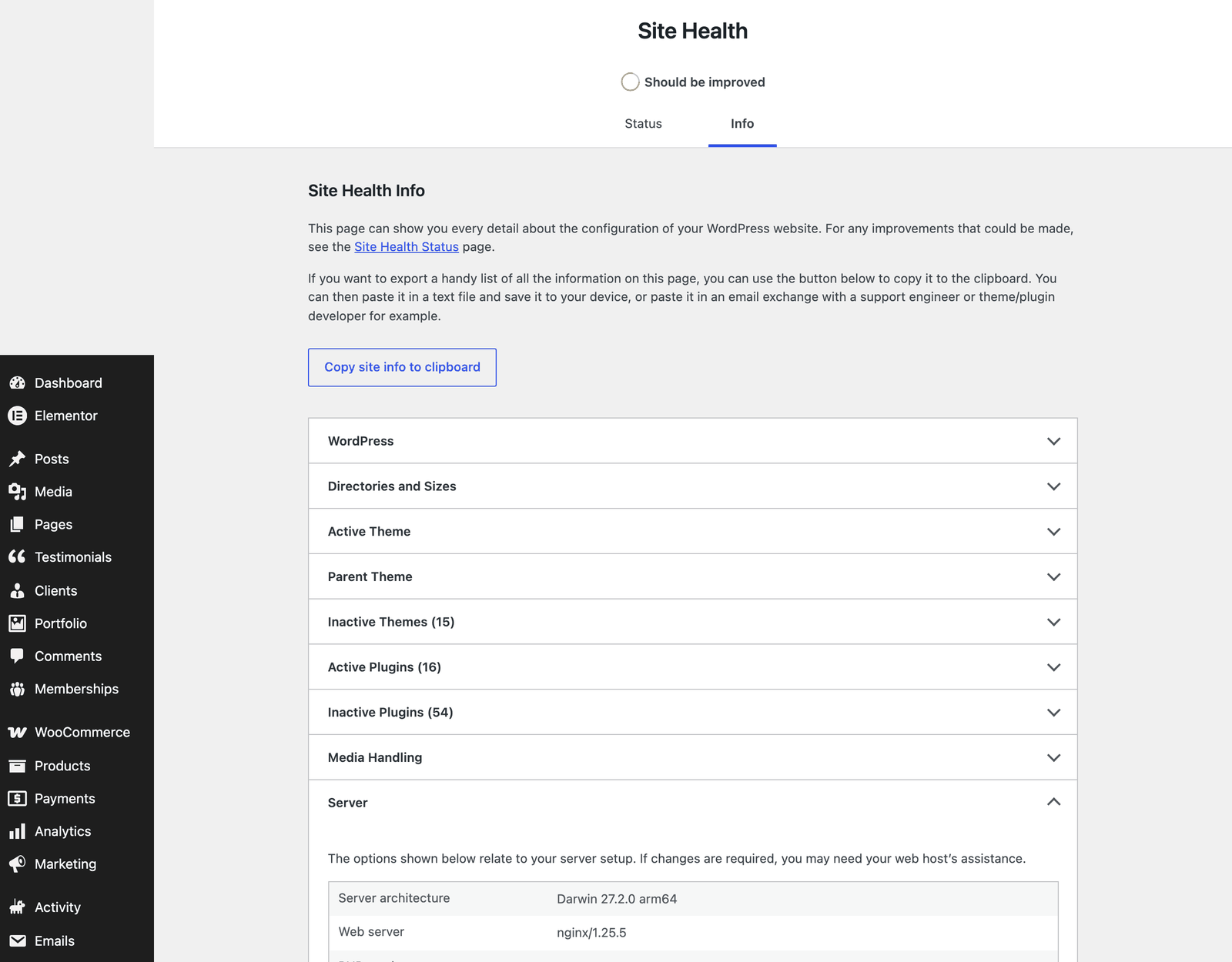
Section titled “Check your server”- In WordPress admin, go to Tools > Site Health > Info.
- Open Server to see the PHP version and limits, and Database for the MySQL or MariaDB version.
- The Status tab lists problems WordPress found, such as an outdated PHP version or failed loopback requests.
The SweetDate Panel checks the most important values for you: open Appearance > SweetDate Panel and look at the System status box on the Dashboard tab (PHP, WordPress, admin memory, uploads folder, update server). The Help tab has the full system report, with a Copy report button for support tickets.
If a value is lower than recommended, ask your host to raise it. Most hosts change PHP versions and limits from their control panel. To raise the WordPress memory limit yourself, add this line to wp-config.php, above “That’s all, stop editing!”:
define( 'WP_MEMORY_LIMIT', '256M' );This works only up to the limit your host allows.