
SeeKo layouts and sidebars
SeeKo layouts and sidebarsSet the default layout
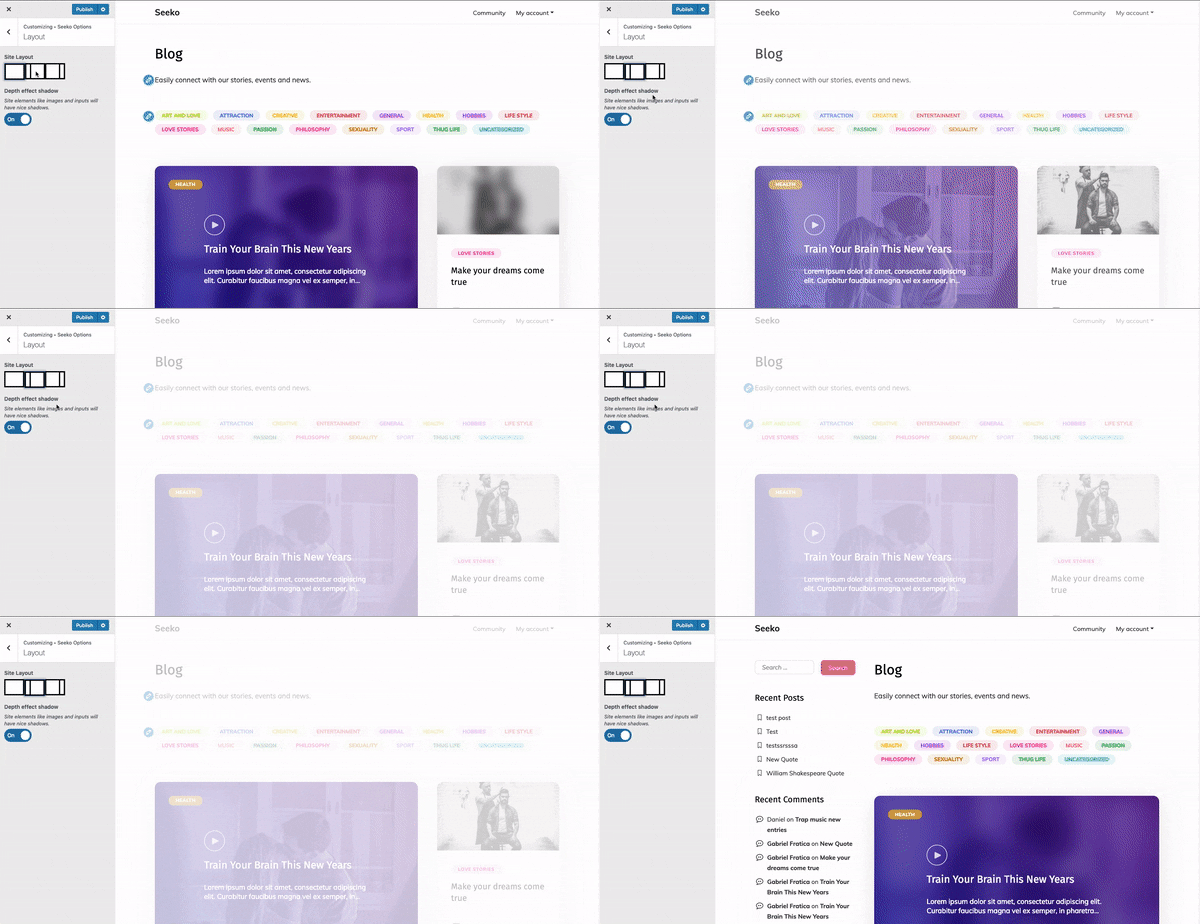
Section titled “Set the default layout”This will set the default site layout but it can be overridden at page level when editing a page or post. 1. From the WordPress admin, go to Appearance > Customize.
2. From the Customizer left menu, go to Seeko options > Layout.
3. Choose sidebar left, right or full (no sidebar) layout.
Set the layout of one page
Section titled “Set the layout of one page”If you’d like to show sidebar on specific pages only and not on all pages/posts, you can do this in the page editor in Post Options section.
Here is how to show a sidebar on the right side of the content on a specific page:
-
Go to WP Admin - Pages
-
Edit the page you want to change the layout for.
-
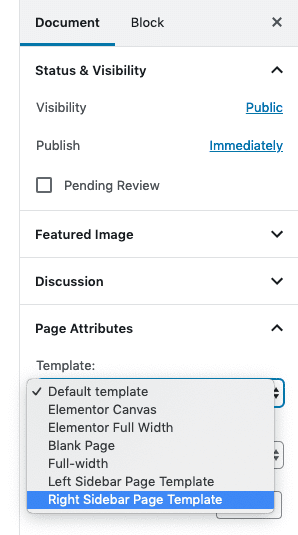
Go to Page Attributes section on the right.
-
Set Right Sidebar
Sidebar locations
Section titled “Sidebar locations”Widgets allow you to customize different areas of the site. SeeKo has 5 widget areas, which you fill in Appearance > Widgets:
-
Main Sidebar - will show in the page templates with left or right sidebar
-
Footer column 1-4 - will show in the footer of the site
Note:_ To enable the Footer section, just add a widget to one of the four sidebars._