
Theme options overview
KLEO: Theme options overviewMost of KLEO’s design and behavior is set in Theme options, in the WordPress admin menu. Changes apply to the whole site; many layout settings can be overridden per page in the page’s Theme General Settings box.
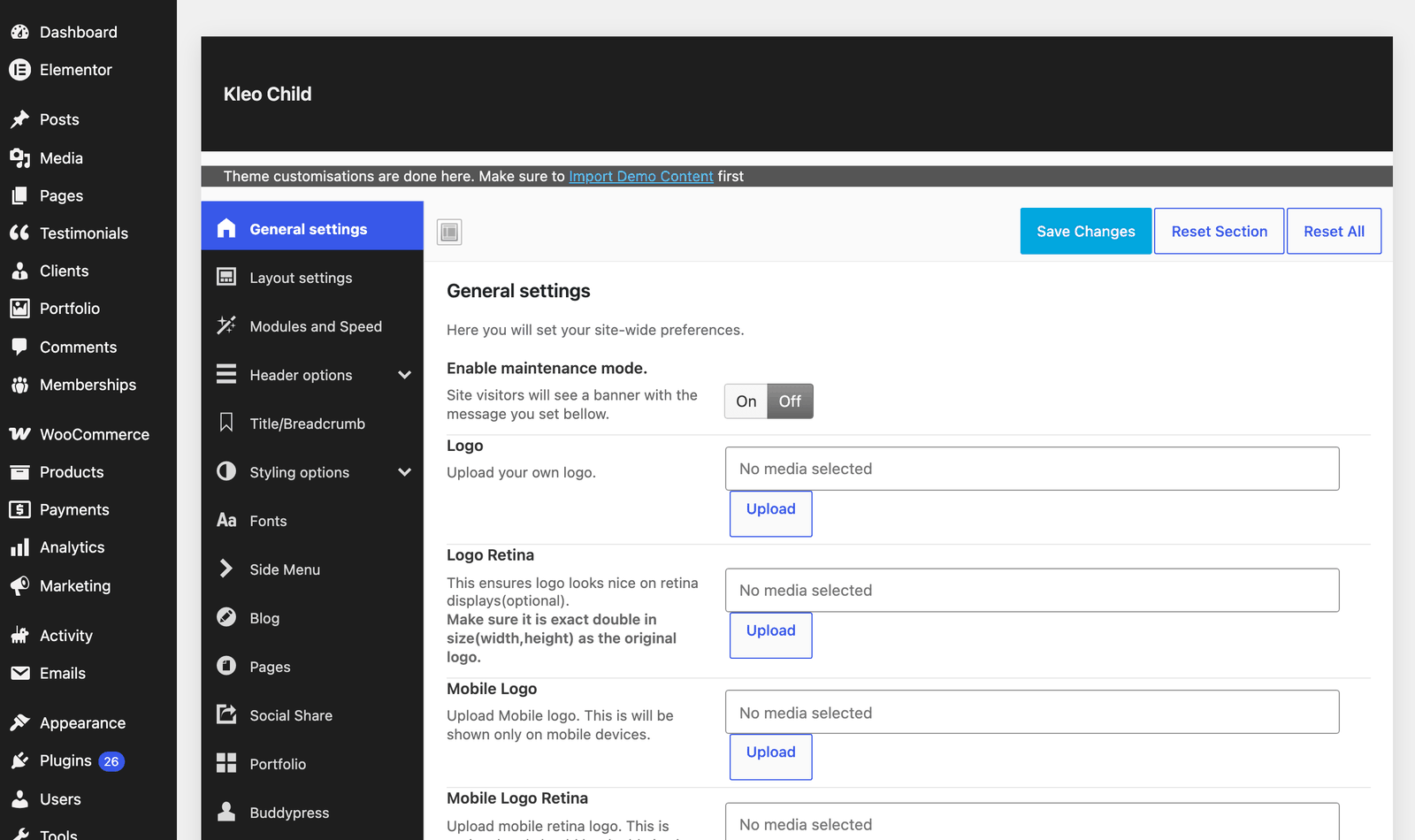
| Section | What you set there |
|---|---|
| General settings | Logo, retina and mobile logos, favicon and app icons, maintenance mode, custom JavaScript and quick CSS |
| Layout settings | Wide or boxed layout, site width, default sidebar layout and content widths, go up button, built-in contact form |
| Modules and Speed | Turn theme modules and scripts on or off, CSS and JS minification (performance guide) |
| Header options | Header layout and height, sticky and transparent menu, logo resize on scroll; Header Fonts and Top bar subsections |
| Title/Breadcrumb | Page title section, breadcrumb and their layout |
| Styling options | Colors and backgrounds for each area: header, main, alternate, side, footer and socket |
| Fonts | Body and heading fonts (custom fonts with the K Fonts plugin) |
| Side Menu | Off-canvas side menu |
| Blog | Blog archive layout, single post layout, meta and related posts |
| Pages | Comments and other options for pages |
| Social Share | Share buttons on posts, pages and other content |
| Portfolio | Portfolio archive and single item settings |
| Buddypress | Profile, group and activity layouts, Classic or Modern profile and group header, online status, member navigation, AJAX refresh interval, members and groups per page |
| Woocommerce | Shop layout, products per row, cart and product page options |
| bbPress | Forum layouts |
| Memberships | Restrict BuddyPress areas by Paid Memberships Pro level (shown when Paid Memberships Pro is active) |
| Mobile options | Mobile app capable tag, browser theme color |
| Miscellaneous | Animations, admin toolbar, custom login page, redirects after login and for the homepage, lightbox, development mode |
| Social Info | Your social profile links (including Bluesky), used by the social icons element |
| Facebook Integration | Facebook login (setup) |
Click Save Changes after editing. KLEO then rebuilds its stylesheet with your colors and fonts; clear any cache if the site does not change right away.
Back up or copy your settings
Section titled “Back up or copy your settings”The Import / Export area of Theme options exports all settings as a file, so you can keep a backup or copy the settings to another site. Demo imports replace these settings, so export them before you import a demo on an existing site.