
SweetDate theme options
SweetDate theme optionsOverview
Section titled “Overview”To access Theme Options go to WP admin -> Sweetdate.
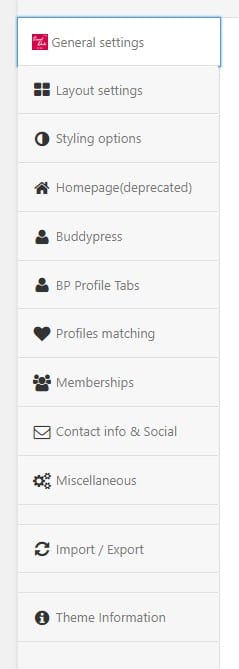
Options are divided in the following sections:
-
General settings - Logo, favicons, analytics code
-
Layout settings - Responsive switch, Boxed/Wide layout, Sidebar/No sidebar
-
Styling options - Backgrounds, colors, google fonts for header, breadcrumb, main section, sidebar, footer
-
Homepage (deprecated) - These options are no longer used at Sweetdate 3.0
-
Buddypress - Import Buddypress profile fields, pages layout(sidebar/no sidebar).Customize profile header (background, transparency, colors) - Search form customization(DEPRECATED) - This is no longer used, search form is now at Users - Profile search and its an elementor widget.
-
BP Profile Tabs - Setup the profile tabs to use at profiles.
-
Profiles matching - Setup the profile matching percentages.
-
Memberships - Membership settings and restrictions.
-
Contact Info & Social - Enable/Disable top social bar. Set you contact details
-
Miscellaneous - Facebook APP ID for login integration. Twitter settings for widget. Updates are now managed by Envato Market plugin.
General settings
Section titled “General settings”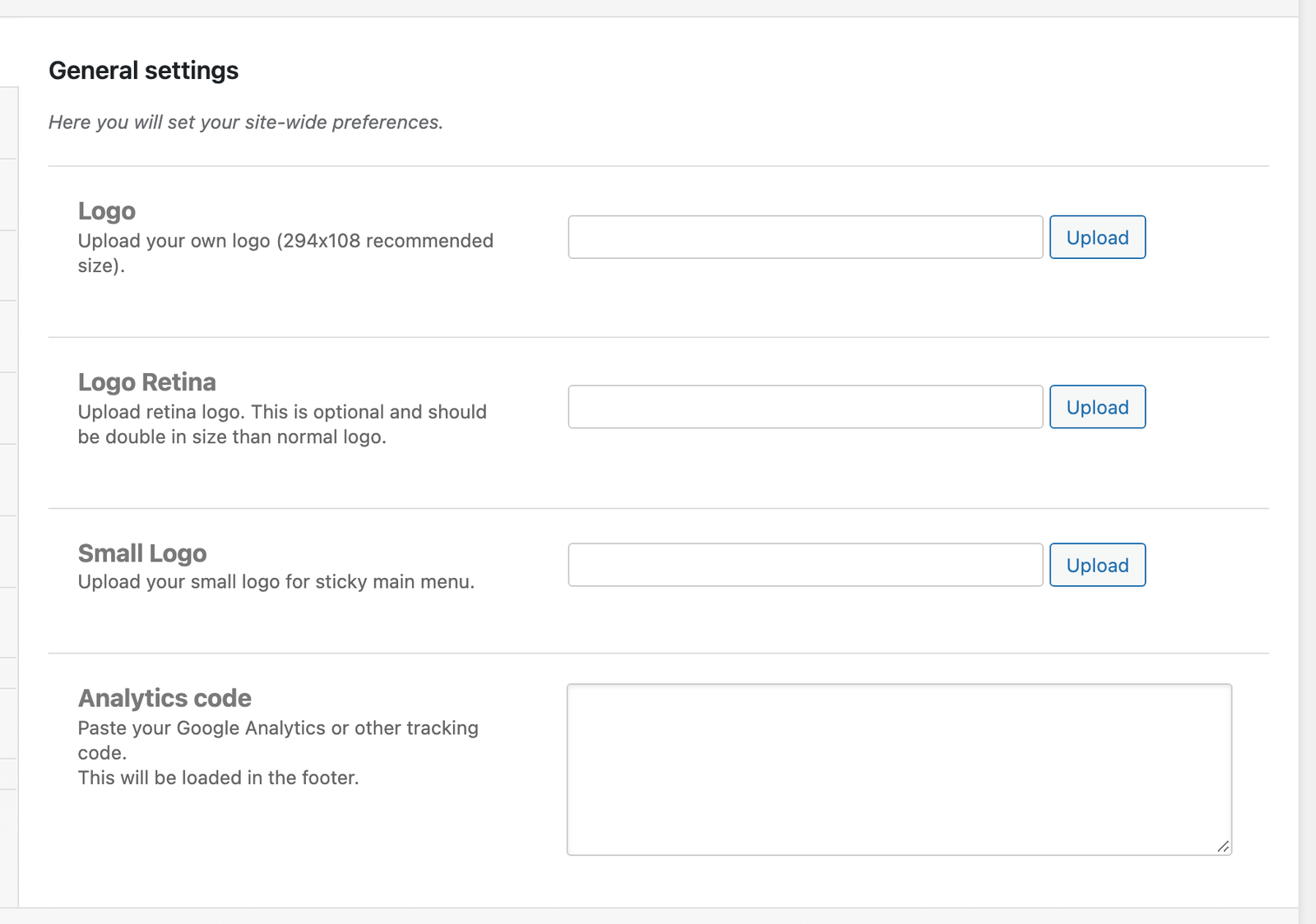
To access Theme option go to WP admin -> Sweetdate.
Options are divided in the following sections:
-
General settings - Logo, favicons, analytics code
-
Layout settings - Responsive switch, Boxed/Wide layout, Sidebar/No sidebar
-
Styling options - Backgrounds, colors, google fonts for header, breadcrumb, main section, sidebar, footer
-
Homepage - Set the Image to be displayed on the Front page template
-
Buddypress - Import Buddypress profile fields, pages layout(sidebar/no sidebar).Customize profile header (background, transparency, colors)
-
Contact Info & Social - Enable/Disable top social bar. Set you contact details
-
Miscellaneous - Facebook APP ID for login integration. Twitter settings for widget. Envato account and API for automatic theme updates.
General settings
Section titled “General settings”You can upload your own logo, also a retina logo to be used on retina display devices.
You can Upload normal favicon and retina icons.
To upload a custom logo just click the upload button, upload the file, click it from on the list and click “Select File”
Layout settings
Section titled “Layout settings”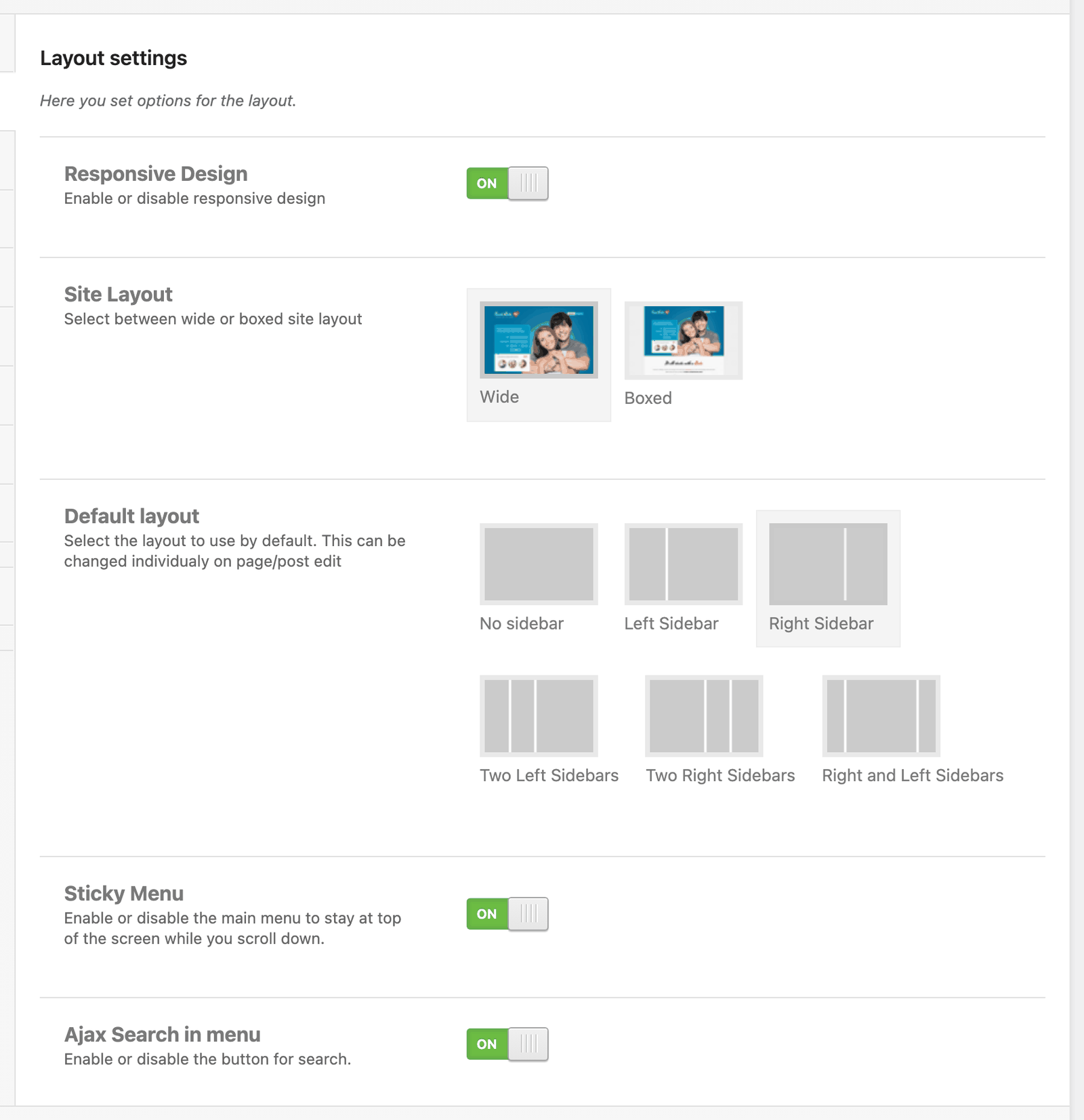
To access Theme option go to WP admin -> Sweetdate.
Options are divided in the following sections:
-
General settings - Logo, favicons, analytics code
-
Layout settings - Responsive switch, Boxed/Wide layout, Sidebar/No sidebar
-
Styling options - Backgrounds, colors, google fonts for header, breadcrumb, main section, sidebar, footer
-
Homepage - Set the Image to be displayed on the Front page template
-
Buddypress - Import Buddypress profile fields, pages layout(sidebar/no sidebar).Customize profile header (background, transparency, colors)
-
Contact Info & Social - Enable/Disable top social bar. Set you contact details
-
Miscellaneous - Facebook APP ID for login integration. Twitter settings for widget. Envato account and API for automatic theme updates.
Layout settings
Section titled “Layout settings”Here you can enable or disable responsive design(If the layout will adjust depending on the size of the screen), select if you want wide or boxed layout. If you select Boxed layout more options will appear, allowing you to choose a background for the site.
From **v1.3 **you can enable/disable Sticky Main Menu
Styling options
Section titled “Styling options”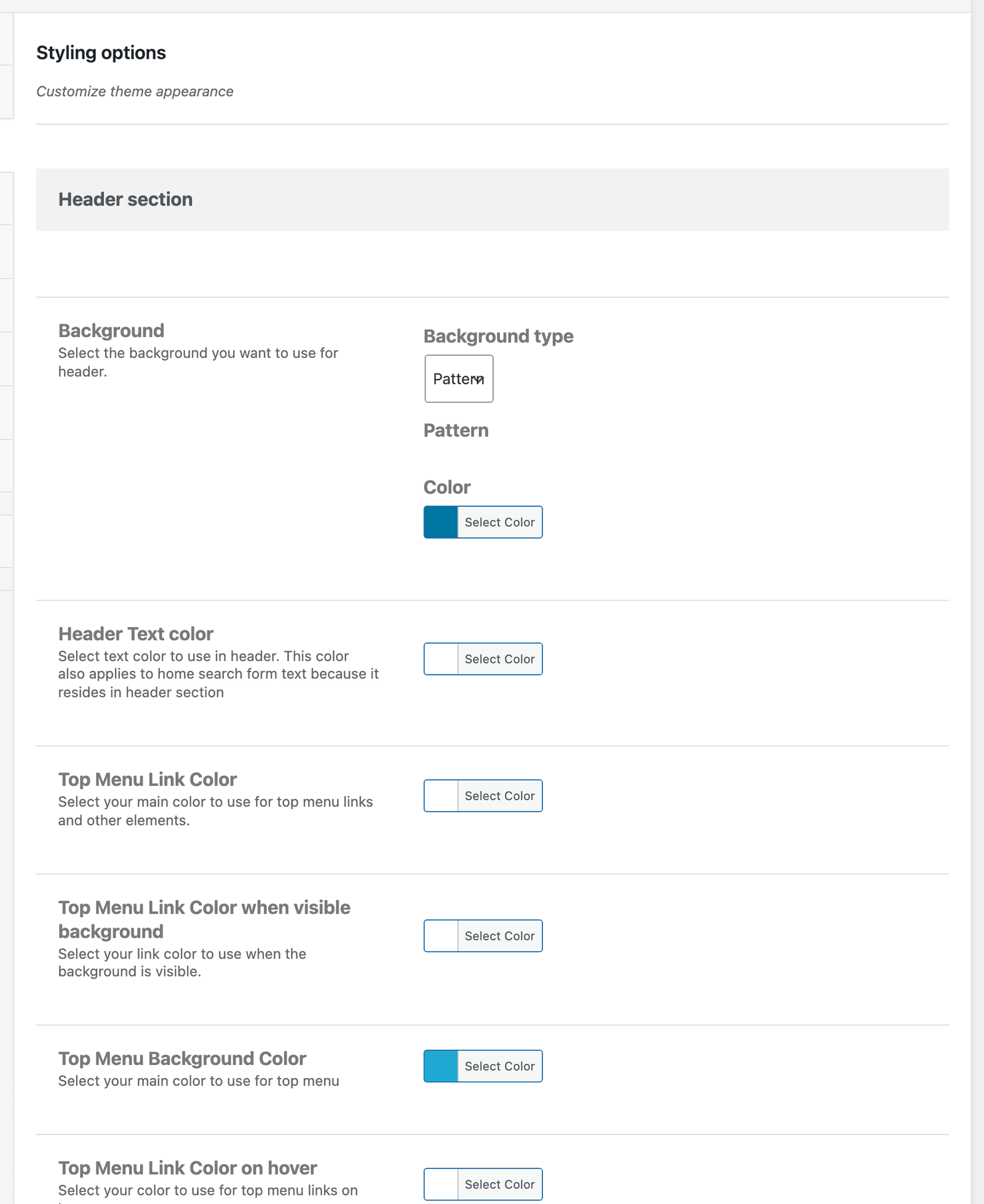
To access Theme option go to WP admin -> Sweetdate.
Options are divided in the following sections:
-
General settings - Logo, favicons, analytics code
-
Layout settings - Responsive switch, Boxed/Wide layout, Sidebar/No sidebar
-
Styling options - Backgrounds, colors, google fonts for header, breadcrumb, main section, sidebar, footer
-
Homepage - Set the Image to be displayed on the Front page template
-
Buddypress - Import Buddypress profile fields, pages layout(sidebar/no sidebar).Customize profile header (background, transparency, colors)
-
Contact Info & Social - Enable/Disable top social bar. Set you contact details
-
Miscellaneous - Facebook APP ID for login integration. Twitter settings for widget. Envato account and API for automatic theme updates.
Styling options
Section titled “Styling options”Set Backgrounds, colors, fonts for header, breadcrumb, main section, sidebar, footer
You can create unlimimited combinations of colors using the settings in this section.
Backgrounds
Section titled “Backgrounds”You can change the background for different site sections by selecting the background type. It can be pattern, image or color.
If you select Pattern you’ll have the option to choose a predefined pattern.
If you select Image you’ll have the option to set the image, image-repeat, vertical and horizontal position, background size and position.
If you select Color you’ll have the option to choose a color for the background
Different colors for site sections(heder,breadcrumb,main,footer)
Section titled “Different colors for site sections(heder,breadcrumb,main,footer)”You can set the text color, link color and hover color for each section of the website. Here is an example from the Main section:
Headings
Section titled “Headings”Choose the font family, font size, font weight, font color for : H1, H2, H3, H4, H5, H6 and body text.
You can also choose from 600+ Google fonts and have a preview of the text.
Breadcrumb
Section titled “Breadcrumb”You can also enable/disable the breadcrumb
BuddyPress settings
Section titled “BuddyPress settings”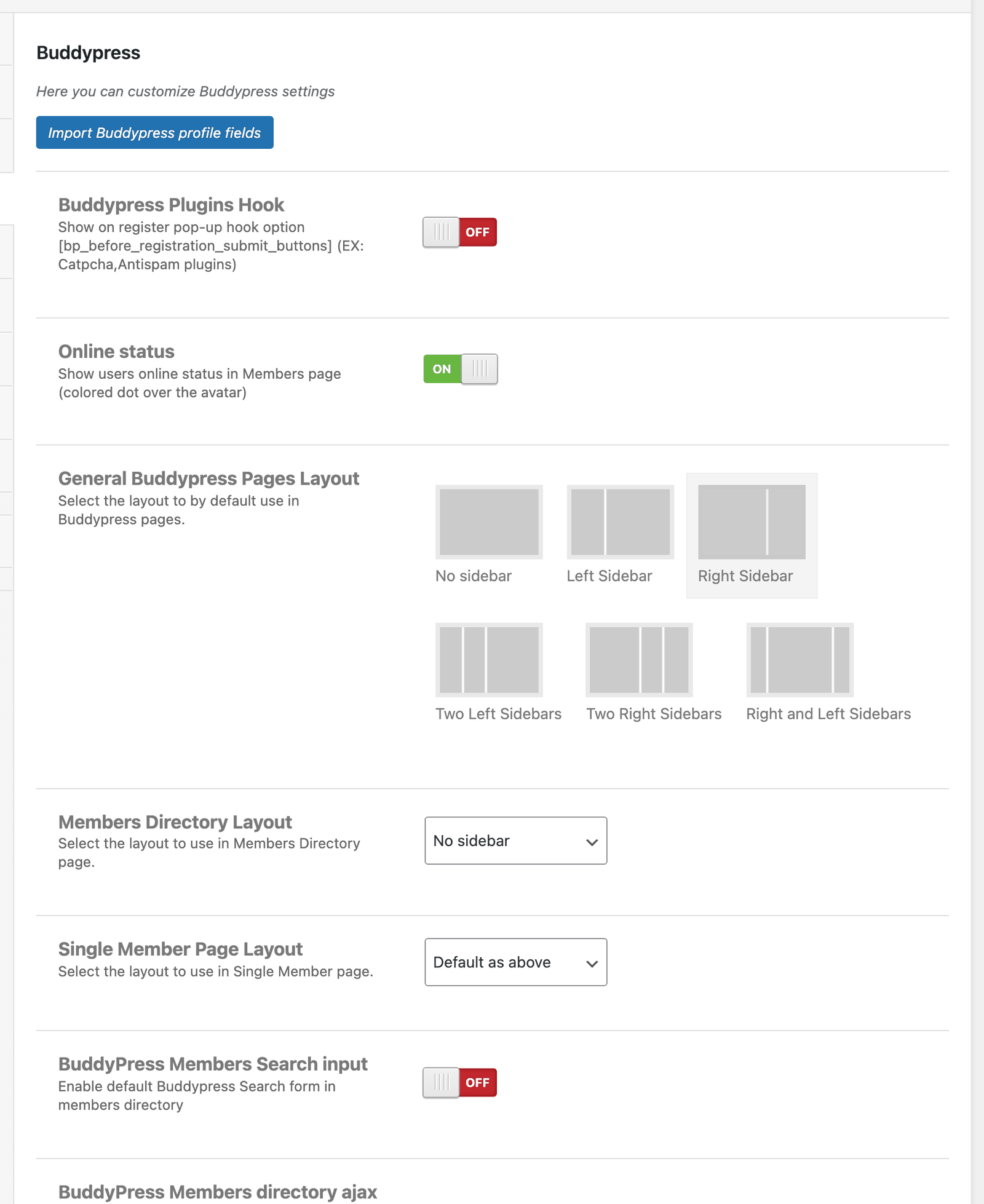
To access Theme option go to WP admin -> Sweetdate -> Buddypress.
Buddypress
Section titled “Buddypress”-
You have the option to set how many members to show per page on members listing page.
-
Set the age search limits and the birthday field. These are used on the homepage search form and members search form.
-
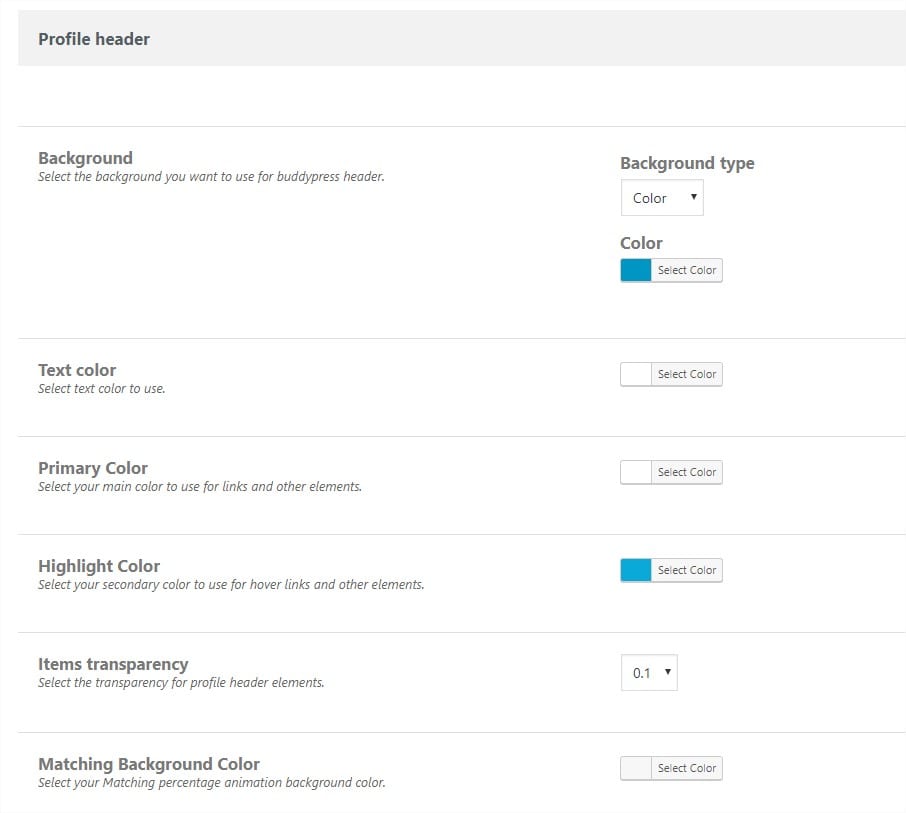
Here you have the option to uniquely style the header for Buddypress profile pages.
You can set background, colors and transparency
Contact and social settings
Section titled “Contact and social settings”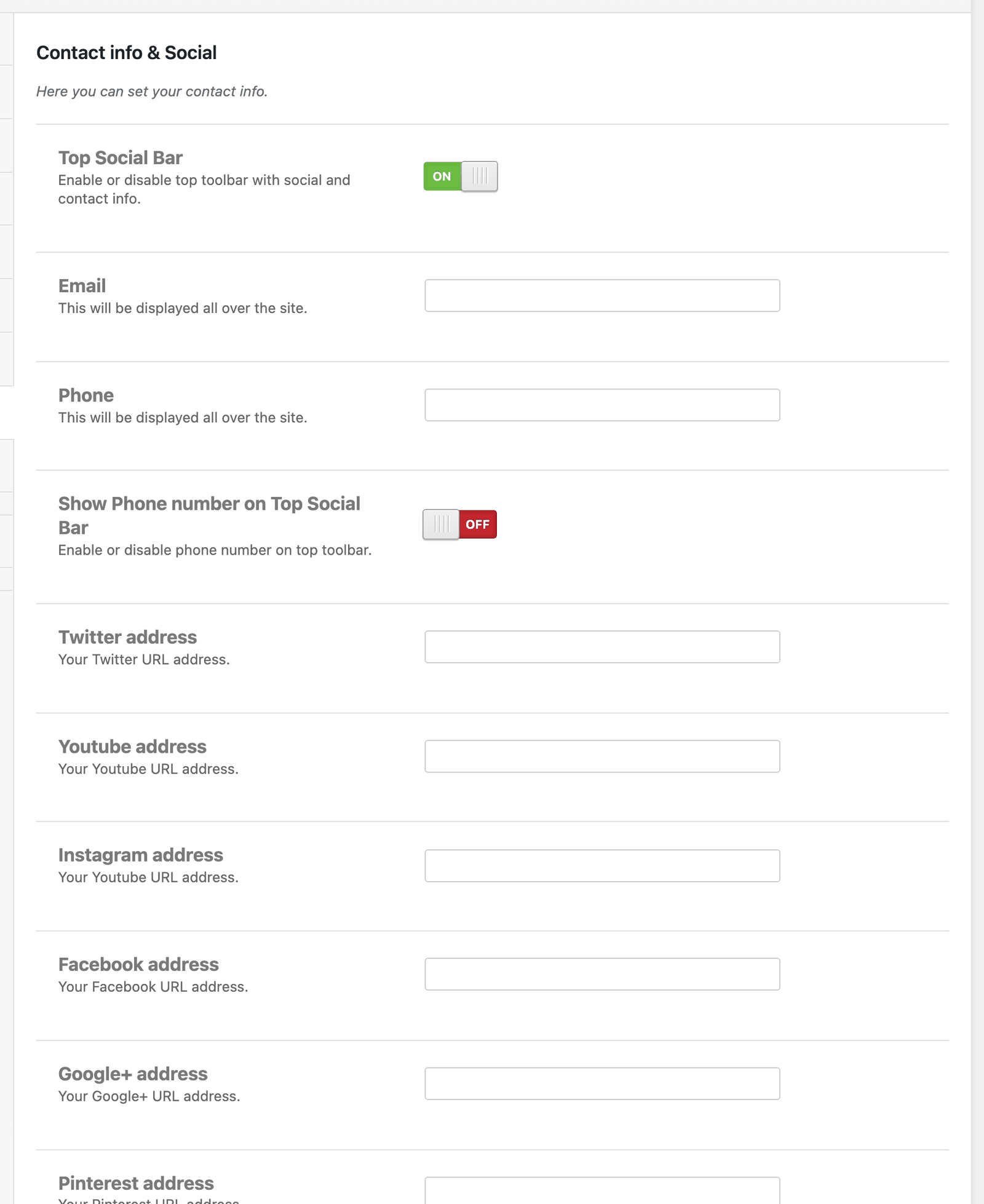
To access Theme option go to WP admin -> Sweetdate -> Contact info & Social.
Contact and social settings
Section titled “Contact and social settings”Enable/Disable top bar.
Here you will also enter contact information that will be displayed in the Top Bar and About us widget
Also you can enter you GPS Coordinates that are used to display Google Maps on Contact Page template.
Import and export options
Section titled “Import and export options”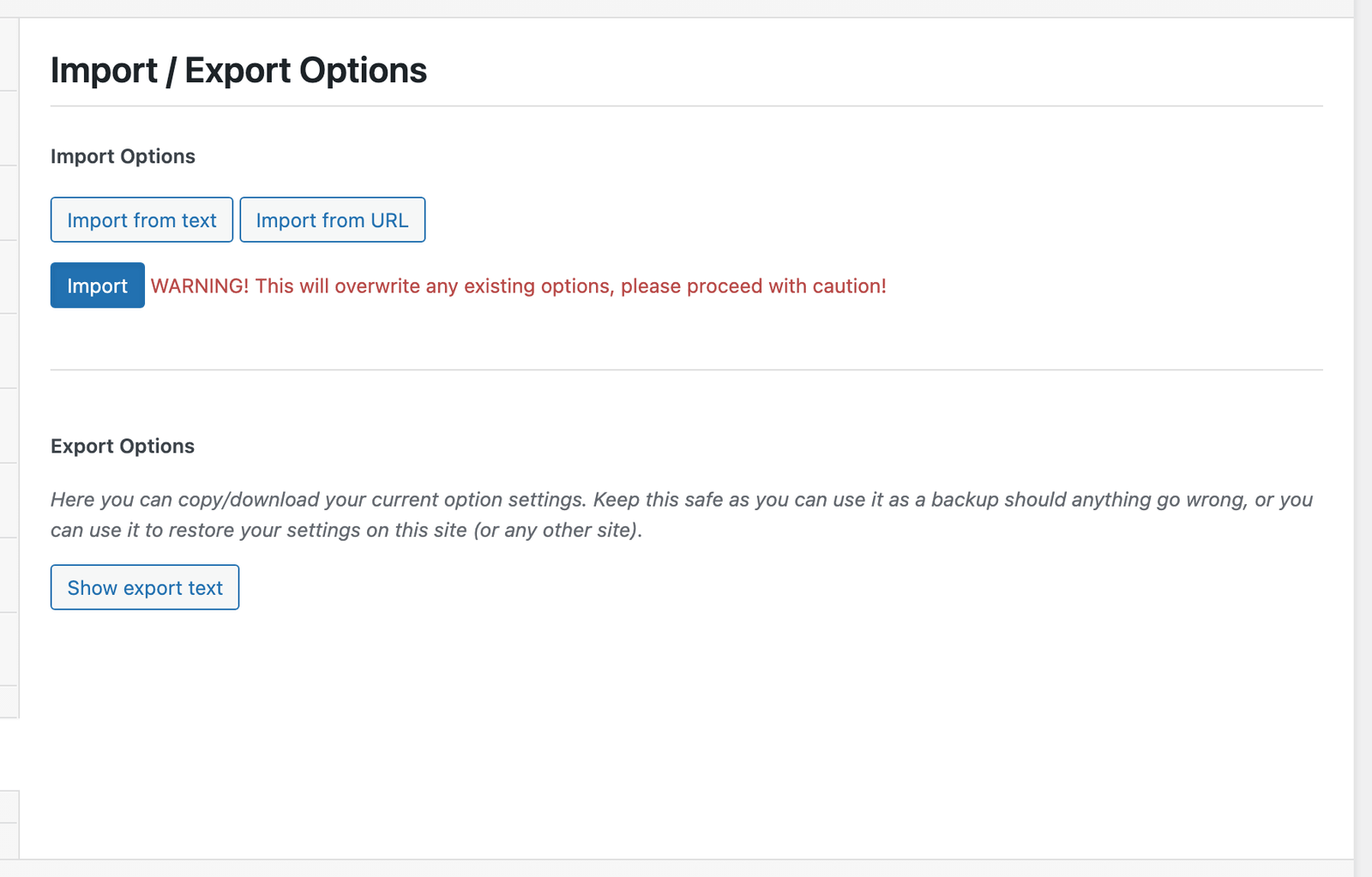
To access Theme option go to WP admin -> Sweetdate.
Options are divided in the following sections:
-
General settings - Logo, favicons, analytics code
-
Layout settings - Responsive switch, Boxed/Wide layout, Sidebar/No sidebar
-
Styling options - Backgrounds, colors, google fonts for header, breadcrumb, main section, sidebar, footer
-
Homepage - Set the Image to be displayed on the Front page template
-
Buddypress - Import Buddypress profile fields, pages layout(sidebar/no sidebar).Customize profile header (background, transparency, colors)
-
Contact Info & Social - Enable/Disable top social bar. Set you contact details
-
Miscellaneous - Facebook APP ID for login integration. Twitter settings for widget. Envato account and API for automatic theme updates.
Import / Export Options
Section titled “Import / Export Options”Here you can easily backup your theme options, create different styles and save them, load different style from backup.